
Transform Your Events with Green Screen Magic
Want to create a photo booth experience that's truly unforgettable? A photo booth with green screen lets you transport guests anywhere – from tropical beaches to outer space! This list showcases seven powerful photo booth software options with green screen capabilities, perfect for weddings, corporate events, parties, and more. Stop settling for boring backdrops and discover the perfect tool to elevate your next event. Whether you’re a seasoned pro or a first-timer, we’ve got you covered. Find the ideal photo booth with green screen solution for your needs and budget below.
1. Simple Booth: The Professional's Choice for Photo Booth with Green Screen
If you're serious about creating a truly immersive and engaging photo booth experience, especially one leveraging the magic of green screen, then Simple Booth deserves a prominent spot on your radar. This isn't your average DIY photo booth setup; Simple Booth offers a comprehensive suite of professional-grade software and hardware designed to elevate your event to the next level. They cater to a wide range of events and provide tools that can transform a simple photo opportunity into a memorable brand experience. From weddings and corporate galas to charity fundraisers and private parties, Simple Booth helps you offer guests a truly unique and interactive experience.
What sets Simple Booth apart in the crowded photo booth market is their commitment to providing a polished, professional experience. Their AI-powered background removal technology takes the hassle out of green screen photography. Forget fiddly manual editing; Simple Booth's intelligent software automatically isolates subjects from the green screen background, allowing for seamless integration with a vast library of custom backgrounds. Imagine transporting your guests to a tropical paradise, a bustling cityscape, or even outer space – the possibilities are truly endless. This feature is a game-changer for event planners seeking to create a highly personalized and engaging experience, and it is exactly why a photo booth with green screen is so sought-after. For those interested in creating their own backdrops from scratch, exploring DIY options like those discussed in Learn more about Simple Booth might be beneficial, but the convenience and quality of Simple Booth's built-in system are hard to beat.
Beyond the impressive background removal capabilities, Simple Booth offers a wealth of features designed to streamline the entire photo booth process. Their cloud-based platform provides a centralized hub for managing photo delivery, galleries, and even custom branding. This means you can easily add logos, overlays, and other branding elements to your photos, creating a cohesive and professional look. Real-time social media sharing is also baked into the platform, allowing guests to instantly share their photos on various platforms, further amplifying your event's reach. For event rental businesses, this feature is particularly valuable as it promotes their brand and increases visibility.
For professionals seeking the highest quality, Simple Booth supports integration with professional DSLR cameras. This gives you unparalleled control over image quality and allows you to capture stunning, high-resolution photos that guests will cherish for years to come. The platform also provides robust business management tools, making it easy to track bookings, manage clients, and generate reports. They even offer dedicated customer support and training to ensure you get the most out of their platform.
Of course, this level of sophistication comes at a price. Simple Booth is undeniably a premium offering, with monthly subscription fees and a potentially significant initial hardware investment if you opt for their complete hardware-software packages. It's also worth noting that mastering all the advanced features may require some time and effort. While the basic setup is relatively straightforward thanks to the AI-powered background removal, taking full advantage of all the customization and management options requires a bit of a learning curve.
However, for serious event professionals, corporate event managers, wedding planners, or anyone seeking a truly top-tier photo booth with green screen experience, the benefits of Simple Booth far outweigh the costs. The high-quality background removal, comprehensive business management tools, professional customer support, and scalability for large events make it a powerful investment that can significantly enhance any event. If you're looking for a solution that delivers a seamless, professional, and truly memorable photo booth experience, Simple Booth is definitely worth considering. They have options for a variety of budgets, and their team is available to help you select the right package for your specific needs.
2. Breeze Systems DSLR Remote Pro
Want a photo booth with green screen capabilities that offers incredible flexibility and control? Breeze Systems DSLR Remote Pro might be your perfect match. This software isn't your average, run-of-the-mill photo booth app; it's a powerful tool designed for professionals and serious hobbyists who crave customization and seamless integration with their DSLR cameras. If you're envisioning a photo booth experience that's truly unique and tailored to your event, DSLR Remote Pro deserves a closer look. It allows you to ditch the generic backdrops and transport your guests to anywhere imaginable, all thanks to the magic of green screen technology. Imagine your wedding guests posing on a tropical beach, your corporate team exploring the moon, or your charity gala attendees mingling with celebrities – the possibilities are endless!
DSLR Remote Pro shines with its robust green screen functionality. It offers both manual and automatic background removal, giving you the flexibility to fine-tune the results or let the software do the heavy lifting. This is a huge advantage for events where time is of the essence. The automatic mode can quickly churn out fantastic green screen photos, while the manual mode allows for precise adjustments if you need more control over tricky lighting situations or intricate costumes. This level of control sets it apart from simpler photo booth software that often lacks nuanced green screen capabilities.
The software seamlessly integrates with professional DSLR cameras, giving you access to superior image quality and advanced camera settings. This is crucial for events where high-resolution images are a must, like weddings or corporate events. Think crisp, clear photos suitable for large prints and social media sharing, not the grainy, low-resolution images you might get with some mobile-based photo booth apps. Plus, the customizable user interface means you can brand the entire photo booth experience, from the on-screen prompts to the final prints. For corporate events, this is a fantastic way to reinforce branding and create a cohesive experience. Wedding planners will love the ability to personalize the interface to match the wedding theme, creating a truly memorable keepsake for guests.
DSLR Remote Pro is a one-time purchase, meaning no recurring monthly fees. While the initial investment might be higher than subscription-based photo booth software, the long-term cost savings can be significant, especially for those who plan to use the software frequently. The software can operate completely offline, a major plus for events in locations with unreliable internet access. You won’t have to worry about connectivity issues disrupting the fun.
While the extensive customization options are a major draw, they also contribute to a steeper learning curve for beginners. Setting up the software and configuring all the features can be a bit daunting at first. It requires some technical know-how, especially regarding camera settings and green screen techniques. Proper lighting is essential for achieving high-quality green screen results, and this aspect requires careful planning and execution. Compared to some cloud-based solutions, DSLR Remote Pro's cloud integration is limited, which might be a drawback for those who rely heavily on cloud storage and sharing.
Pricing: A single license for DSLR Remote Pro is available on their website, https://www.breezesys.com, and typically falls within the mid-range price point for professional photo booth software.
Technical Requirements: You'll need a compatible DSLR camera, a computer (Windows or macOS), and ideally, a green screen backdrop and appropriate lighting.
For event planners, wedding couples, or anyone looking for a photo booth with green screen that's a step above the rest, Breeze Systems DSLR Remote Pro is a powerful option. Its robust features, professional-grade camera integration, and extensive customization options make it an excellent choice for creating truly memorable and engaging photo booth experiences. While it requires some technical setup, the results are well worth the effort, especially for those who value quality, control, and the ability to create something truly unique.
3. Foto Master Photo Booth
Looking for a photo booth solution that brings the fun of green screen technology without the technical headaches? Foto Master might just be your perfect match. This software offers a comprehensive photo booth experience with built-in green screen capabilities, allowing you to transport your guests to exotic locations, fantastical landscapes, or even branded backdrops, all with the click of a button. Whether you're a seasoned professional or a complete newbie to the photo booth world, Foto Master's user-friendly interface makes it easy to set up and operate.
Imagine this: you're planning a corporate event and want to reinforce your brand. With Foto Master, you can easily replace the green screen background with your company logo, product images, or even a custom-designed backdrop featuring your brand colors. Or perhaps you're organizing a wedding reception and want to offer your guests a unique, interactive experience. Foto Master lets you transport them to a romantic Parisian street, a tropical beach, or even outer space! The possibilities are endless.
For those planning charity events, Foto Master's green screen feature opens up a world of fundraising opportunities. Imagine transporting donors to the location where their contributions are making a difference or creating fun, themed backdrops that align with the cause. It's a fantastic way to engage attendees and boost donations. Even private party hosts can elevate their gatherings with themed photo experiences – from superhero adventures to Hollywood glamour.
Foto Master's automatic green screen background replacement is a huge time-saver. The software does the heavy lifting, seamlessly swapping out the green screen for your chosen background in real-time. This means no complicated post-production editing or waiting around for processed photos. Guests can see their transformed images instantly, adding to the excitement and engagement.
Learn more about Foto Master Photo Booth for a deeper dive into their offerings.
The touch screen interface with gesture controls further simplifies the process, making it accessible to users of all ages and tech savviness. Guests can swipe, tap, and pinch their way through the experience, choosing backgrounds, adding digital props, and customizing their photos with ease. And once the perfect shot is captured, Foto Master offers instant printing and email delivery, allowing guests to share their memories immediately. Integration with social media platforms further amplifies the fun, enabling guests to share their photo booth creations with their online networks directly from the booth.
Foto Master also shines in terms of affordability. Unlike subscription-based software, Foto Master offers a one-time purchase price, making it a budget-friendly option for those looking for a long-term solution. The software comes with a good selection of built-in backgrounds, giving you a head start in creating engaging photo experiences. Plus, its reliable performance ensures smooth operation even during high-traffic events.
While Foto Master excels in ease of use and affordability, it's worth noting a few limitations. The software offers a limited range of advanced editing features compared to some premium photo booth solutions. The quality of the background removal can also vary depending on the lighting conditions during the event. Optimal lighting is key for achieving clean, professional-looking results. Finally, while Foto Master provides customizable templates, the customization options are not as extensive as those found in higher-end solutions. Customer support options are also somewhat limited.
Despite these minor drawbacks, Foto Master's intuitive interface, automatic green screen replacement, and affordable pricing make it a solid choice for anyone looking to add a touch of interactive fun to their next event. Whether it's a wedding, corporate gathering, or private party, Foto Master provides a user-friendly and engaging photo booth experience that is sure to be a hit with your guests. While pricing information isn't readily available, you can visit their website at https://www.fotomaster.eu for details and to see if Foto Master is the perfect photo booth with green screen solution for your needs. Remember to consider your specific needs and event requirements when making your decision.
4. Sparkbooth: Polished Photo Booth Fun for Mac Users
Sparkbooth brings the fun and excitement of a photo booth right to your Mac, offering a polished and user-friendly experience ideal for everything from weddings to corporate events. While it doesn't offer green screen capabilities out-of-the-box, a separate purchase unlocks this feature, turning your photo booth with green screen dreams into a vibrant reality. This software stands out for its intuitive interface, professional-quality output, and Mac-optimized performance, making it a solid choice for anyone looking to elevate their event with a touch of interactive fun.
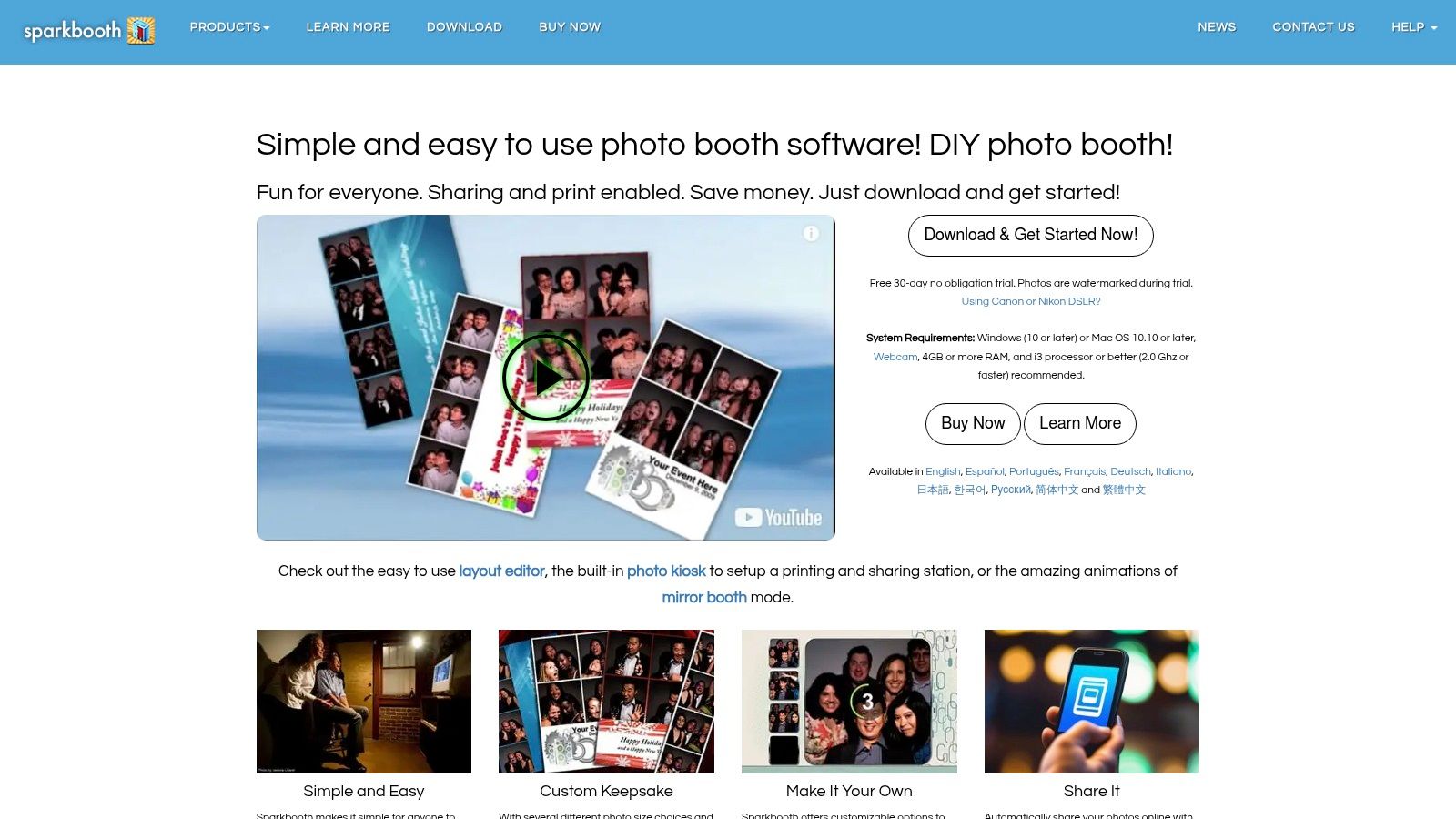
Imagine this: you're planning a whimsical wedding reception and want to provide your guests with a memorable experience. Sparkbooth, with its green screen capabilities, can transport your guests from the reception hall to a tropical beach, a snowy mountaintop, or even outer space! It's also perfect for corporate events looking to boost brand engagement. Picture attendees posing with your company logo superimposed over a dynamic cityscape. The possibilities are endless! For private parties, charity events, or any creative event, Sparkbooth provides a fun and engaging activity that guests of all ages can enjoy.
One of Sparkbooth’s key strengths lies in its ease of use. The interface is clean and intuitive, even for those unfamiliar with photo booth software. Setting up your photo booth with green screen is straightforward, allowing you to focus on capturing the fun rather than wrestling with complicated settings. The software offers a built-in collection of background images to get you started, and you can easily import your own custom backdrops to truly personalize the experience. Whether you're a seasoned event planner or a first-time user, you'll find Sparkbooth accessible and easy to navigate. This makes it a particularly strong option for those who want a hassle-free setup and don't want to spend hours fiddling with technical details.
Sparkbooth provides a wide range of creative tools to personalize your photo booth experience. From customizable countdown timers and prompts to various photo layout and collage options, you have the flexibility to create a truly unique and engaging setup. The live slideshow and gallery display features further enhance the experience, allowing guests to view and share their photos in real-time. This feature is particularly popular at weddings and parties, fostering a sense of community and shared enjoyment.
Now, let's talk about pricing. While Sparkbooth offers a free trial, unlocking the full potential, including the green screen feature, requires a purchase. Sparkbooth offers several licensing options, from a one-time purchase for the basic software to subscriptions for premium features and ongoing updates. The green screen feature, specifically, requires a separate purchase on top of the base software license. You can find the latest pricing details on their website.
While Sparkbooth shines in its user-friendliness and Mac optimization, there are a few things to consider. Its Mac-only compatibility limits your hardware options. You’ll need a Mac computer to run the software, and this might not be ideal for everyone. Also, while the software offers a decent range of creative templates, it lacks advanced photo editing tools found in some more professional-grade photo booth software. If you need extensive editing capabilities, you might consider supplementing Sparkbooth with a dedicated photo editing program. Finally, access to premium features, including certain effects and functionalities, requires a subscription.
For Mac users seeking an intuitive and polished photo booth experience, Sparkbooth is a strong contender. Its ease of use, creative features, and Mac-optimized performance make it a great choice for various events. The green screen feature, while requiring an additional purchase, opens up a world of creative possibilities, allowing you to create truly unique and memorable photo booth experiences. Visit their website https://www.sparkbooth.com to explore the different licensing options and download the software.
5. HootBooth Professional
If you're serious about offering a top-tier photo booth experience—we're talking professional-grade, red-carpet-worthy stuff—then HootBooth Professional is your software. It’s not just a simple app; it's a comprehensive suite of tools designed specifically for event photographers and rental businesses looking to elevate their photo booth game with the magic of green screen technology. Think of it as the photo booth software equivalent of a Swiss Army knife, packed with features to handle just about any scenario. This software empowers you to create immersive and engaging experiences, transporting your guests from a mundane event space to a tropical paradise, a bustling cityscape, or even outer space, all thanks to the power of a photo booth with green screen.
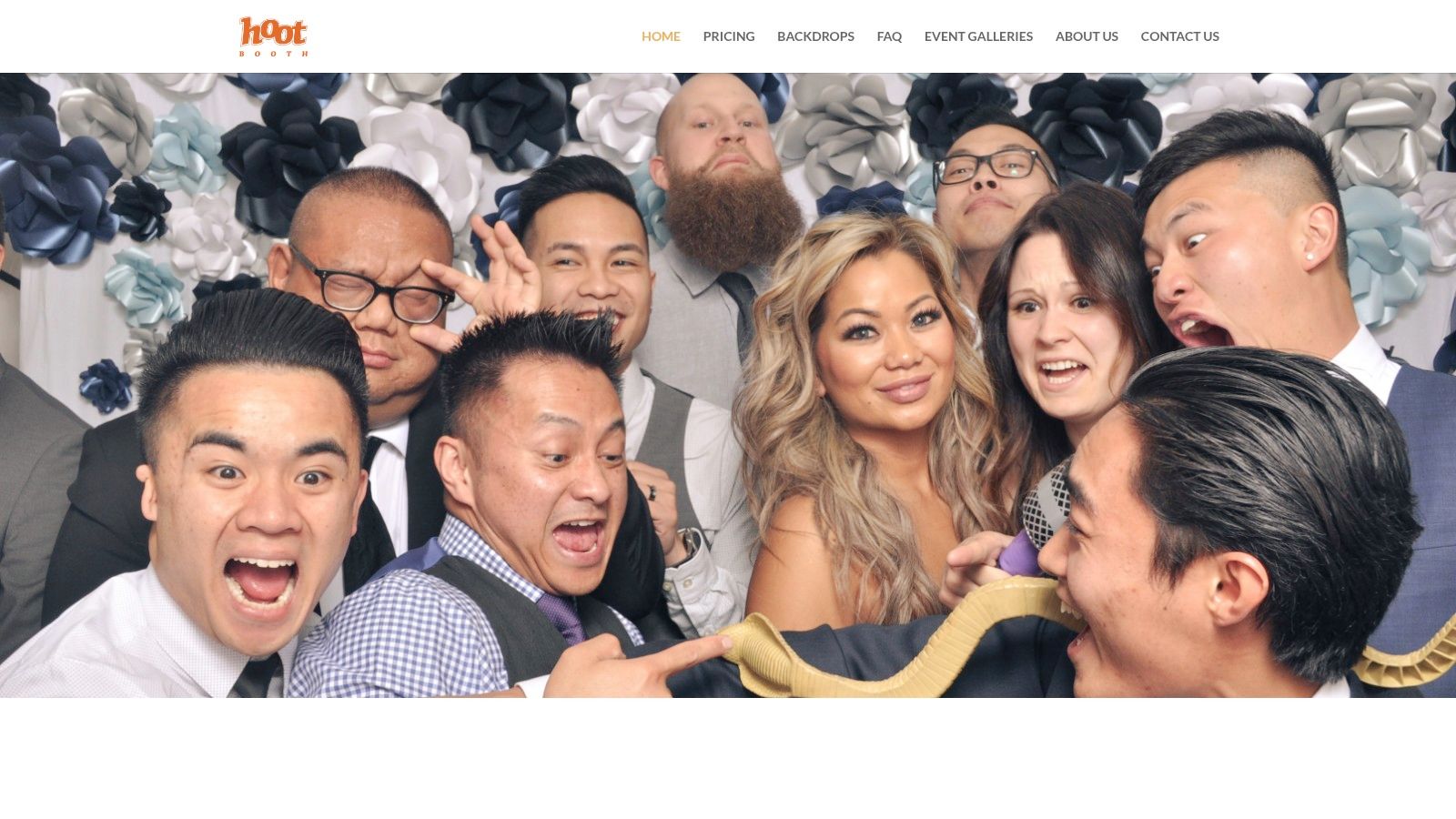
HootBooth Professional stands out from the crowd with its real-time green screen processing and preview. This means your guests can see themselves superimposed onto the chosen background live, as they pose for the camera. No more guessing or awkward surprises! This instant feedback adds an element of fun and excitement to the whole process. Imagine seeing yourself instantly transported to a glamorous Hollywood premiere or posing alongside your favorite superhero. It's an instant gratification that elevates the entire photo booth experience. The software also features a professional lighting guidance system, ensuring your green screen photos are crisp and clear, free from the shadows and inconsistencies that can plague amateur setups. Say goodbye to those tell-tale green edges and hello to flawless, professional-quality images.
Beyond the core green screen functionality, HootBooth Professional offers a wealth of advanced photo editing and enhancement tools. You can touch up photos, apply filters, add digital props, and even create animated GIFs. This allows for a high degree of customization, ensuring that the final product perfectly reflects your event’s theme and branding. For those managing larger events, HootBooth Professional supports multi-camera setups, capturing different angles and perspectives simultaneously. And to keep everything organized, a comprehensive event management dashboard helps you track sessions, manage prints, and even gather data for marketing purposes. This is particularly valuable for professionals, providing streamlined workflows and valuable insights.
For example, a wedding photographer could use HootBooth Professional to create a unique experience for the reception, offering guests a choice of romantic backdrops, from a starry night sky to a picturesque Tuscan vineyard. A corporate event manager could use the software to brand photos with the company logo and incorporate interactive elements, boosting engagement and brand visibility. The possibilities are virtually endless. Learn more about HootBooth Professional to see how it can elevate your wedding or event.
However, this level of sophistication comes at a price. HootBooth Professional is positioned at the higher end of the market, reflecting its comprehensive feature set and professional capabilities. While the exact pricing isn't readily available, expect to invest more than you would for a basic consumer-grade app. Additionally, the software requires powerful hardware to run smoothly, especially when using advanced features like multi-camera setups and real-time processing. There's also a learning curve involved. Mastering all the features and customization options will take some time and effort. While HootBooth Professional provides good technical support and documentation, it’s not a plug-and-play solution for the technically challenged.
Despite the higher price point and complexity, HootBooth Professional is a powerful tool for those seeking a truly professional photo booth with green screen capabilities. Its extensive features, customization options, and built-in business management tools make it a worthy investment for serious event photographers and rental businesses. While it may be overkill for a casual backyard party, for professional events where quality, branding, and seamless execution are paramount, HootBooth Professional shines.
6. Social Booth
Want to turn your next event into a social media frenzy? Social Booth might be just what you're looking for. This modern photo booth solution puts social sharing front and center, offering a fantastic way to engage your guests and amplify your brand, all while having some seriously fun photo booth experiences. It's especially appealing if you're looking for a photo booth with green screen capabilities to add an extra layer of creativity and customization to your event. Imagine transporting your guests to a tropical beach, a bustling city, or even outer space – all without leaving the venue!
Social Booth makes it super easy for guests to share their photos instantly on platforms like Instagram, Facebook, and Twitter. This immediate sharing helps boost your event's visibility online and creates a buzz that extends well beyond the venue itself. For businesses and brands, this translates into valuable marketing exposure and an opportunity to connect with a wider audience. The platform also boasts AI-enhanced green screen background removal, so you can be sure that the final product looks polished and professional. Forget fiddly manual editing – Social Booth takes care of the heavy lifting.
So, who would benefit most from Social Booth? Well, pretty much anyone looking to inject some interactive fun into their event and boost their online presence. Think wedding couples wanting to create lasting memories and share them instantly with loved ones, corporate event managers looking to spice up a conference or product launch, or even charity event coordinators aiming to raise awareness and engagement. Social Booth’s flexibility makes it a great fit for a wide range of events.
One of Social Booth's strengths lies in its customizability. You can tailor the experience to match your event's theme or brand identity by adding custom overlays, hashtags, and even integrating it with your ongoing social media campaigns. Real-time analytics and engagement tracking let you see how your photo booth is performing, giving you valuable insights into what resonates with your audience. This feature is particularly helpful for marketing activations, where understanding audience engagement is crucial. You can see which backgrounds are most popular, which hashtags are trending, and how many people are sharing your content.
From a practical standpoint, Social Booth offers both software and hardware solutions, giving you flexibility in how you want to set things up. The cloud-based management system simplifies things even further, allowing you to control everything from a central dashboard. However, this reliance on the cloud also means a stable internet connection is crucial for the platform to function smoothly. While some offline capabilities exist, the full suite of features requires online access.
Pricing for Social Booth is subscription-based, and while the specific costs aren’t readily available on their website, similar platforms in this category generally operate on monthly or annual plans. The cost will likely vary based on the features you need and the duration of your subscription. It’s worth noting that while the monthly fees can add up, the value you get in terms of social media reach and brand engagement can often justify the investment, especially for marketing-focused events. You might want to Learn more about Social Booth and other party entertainment options to see how they fit within your budget.
Setting up Social Booth is designed to be straightforward. The software guides you through the process, and their support team is available to help if you run into any snags. However, keep in mind that the quality of your green screen photos will depend heavily on your setup. Adequate lighting and a smooth, wrinkle-free backdrop are essential for achieving the best results. So, factor in some time for testing and adjustments to ensure everything looks perfect before your guests start snapping away.
While Social Booth offers a compelling package, it’s worth considering some potential drawbacks. As mentioned earlier, the platform’s reliance on an internet connection is a key consideration. If your venue has unreliable Wi-Fi or you're planning an outdoor event in a remote location, you might want to explore alternative solutions with stronger offline functionality. Also, while the AI-enhanced background removal is generally effective, it might not be perfect in every scenario. Complex backgrounds or challenging lighting conditions can sometimes lead to less-than-ideal results. Despite these minor limitations, Social Booth remains a powerful tool for creating engaging photo experiences that drive social sharing and boost brand visibility.
7. OpenPhoto Booth: Unleash Your Inner Techie with a Customizable Green Screen Photo Booth
Looking for a photo booth with green screen capabilities that doesn't break the bank and offers unparalleled customization? OpenPhoto Booth might be your perfect match. This open-source software solution puts you in the driver's seat, allowing tech-savvy users to craft a truly unique photo booth experience without the burden of licensing fees. It's a fantastic option for those comfortable tinkering under the hood, offering a level of control rarely found in commercial photo booth software. Whether you're a couple planning a quirky wedding reception, a corporate event manager aiming for a branded experience, or a creative event planner with a vision, OpenPhoto Booth empowers you to bring it to life.
OpenPhoto Booth distinguishes itself with its open-source nature and a vibrant community-driven ecosystem. This translates to a wealth of customizable green screen modules, plugins for extended functionality, and support from fellow users and developers. You can tailor the software to your specific needs, from the type of camera you use to the design of the user interface. Imagine creating a photo booth experience perfectly aligned with your event's theme, from whimsical fairytale backdrops to futuristic cityscape scenes – all made possible with the power of green screen and OpenPhoto Booth's flexible architecture.
One of the major advantages of OpenPhoto Booth is its affordability. Being completely free and open-source, it eliminates the licensing fees and subscription costs often associated with commercial photo booth software. This makes it a particularly attractive option for budget-conscious event planners or individuals looking for a cost-effective way to add a fun and interactive element to their gathering. You can invest your resources in other aspects of your event, knowing that your photo booth software won't put a dent in your budget.
While OpenPhoto Booth offers a plethora of advantages, it's essential to acknowledge that it's not a one-size-fits-all solution. Its open-source nature and emphasis on customization mean it requires a certain level of technical proficiency for setup and configuration. If you're not comfortable navigating software settings, installing plugins, or troubleshooting technical issues, you might find the learning curve a bit steep. The green screen implementation quality can also vary depending on the specific modules and your hardware setup. Unlike commercial software with dedicated support teams, OpenPhoto Booth relies primarily on community support and documentation, which might not always be as comprehensive.
However, if you're willing to invest some time and effort, the rewards can be substantial. The flexibility and control offered by OpenPhoto Booth are unparalleled. You can experiment with different camera configurations, integrate custom background libraries, and even develop your own plugins to add unique features. This level of customization is a dream come true for creative event planners and individuals looking for a truly personalized photo booth experience.
For those interested in exploring more about setting up and utilizing photo booths, Learn more about OpenPhoto Booth. This resource can provide further insights into the world of photo booth experiences.
So, what does it take to get started with OpenPhoto Booth? Technically, the software itself is free. However, you'll need to consider the cost of hardware, including a computer, camera, green screen backdrop, lighting, and a printer if you want physical prints. The specific hardware requirements will depend on your desired level of sophistication and the features you want to implement. For example, a basic setup might involve a webcam and a simple green screen, while a more advanced configuration could include a DSLR camera, professional lighting, and a touch screen interface.
Compared to commercial photo booth software solutions that often come with hefty price tags and limited customization options, OpenPhoto Booth stands out as a powerful and affordable alternative. It empowers you to take control of every aspect of the photo booth experience, from the software interface to the visual effects. If you're technically inclined and enjoy tinkering with software, OpenPhoto Booth is a fantastic platform to build a truly unique and memorable photo booth experience for your next event. While there might be a learning curve, the freedom and customization possibilities make it a worthwhile investment for those seeking a truly personalized and engaging photo booth with green screen magic. It deserves its place on this list because it offers a level of control and customization unavailable in most other options, empowering you to create a photo booth experience that perfectly reflects your vision.
Photo Booth Green Screen Software Comparison
| Photo Booth Solution | Core Features & Technology | User Experience & Quality ★ | Value & Pricing 💰 | Target Audience 👥 | Unique Selling Points ✨ |
|---|---|---|---|---|---|
| Simple Booth | AI background removal, cloud delivery, DSLR support | High-quality output ★★★★☆ | Subscription + hardware cost 💰💰 | Event rental businesses 👥 | Scalable business tools, real-time social sharing 🏆 |
| Breeze Systems DSLR Remote Pro | DSLR control, manual/auto green screen, offline use | Professional-grade camera ★★★★☆ | One-time purchase 💰 | Photographers & pros 👥 | Extensive customization, reliable offline use ✨ |
| Foto Master Photo Booth | Auto green screen, instant print, social sharing | User-friendly, reliable ★★★☆☆ | Affordable one-time price 💰 | Beginners & professionals 👥 | Easy setup, custom templates ✨ |
| Sparkbooth | Auto green screen, Mac-optimized, slideshow | Intuitive UI ★★★☆☆ | Subscription + extra features 💰 | Mac users, casual & pro 👥 | Mac only, creative templates, regular updates ✨ |
| HootBooth Professional | Real-time green screen, multi-cam, event dashboard | Professional quality ★★★★☆ | Higher price point 💰💰 | Event photographers & rentals 👥 | Advanced editing & management tools 🏆 |
| Social Booth | AI green screen, social media focus, analytics | Modern, social-friendly ★★★★☆ | Subscription fees 💰💰 | Events & marketing activations 👥 | Strong social integration, real-time analytics ✨ |
| OpenPhoto Booth | Open-source, customizable plugins, multi-cam support | Variable, community-driven ★★★☆☆ | Free, no licensing fees 💰 | Tech-savvy & developers 👥 | Fully customizable, no cost, active community ✨ |
Creating Unforgettable Moments with the Perfect Photo Booth
From simple DIY setups to professional software, this article has explored a range of tools to help you rock a photo booth with green screen capabilities. We’ve looked at everything from user-friendly options like Simple Booth and Sparkbooth, perfect for beginners, to more advanced software such as Breeze Systems DSLR Remote Pro and Foto Master Photo Booth for those wanting granular control. Remember, choosing the right tool depends on your specific needs – think about your budget, technical skills, and the level of customization you want. Whether you're hosting a wedding, corporate event, private party, or charity gala, a photo booth with green screen adds a touch of magic and endless fun.
The key takeaway? A photo booth with green screen allows you to transport your guests anywhere, from a tropical paradise to outer space! By incorporating the right software and a little creativity, you can offer personalized and shareable experiences that guests will cherish long after the event ends. When choosing your software, consider factors like ease of use, available features (like instant sharing and custom templates), and hardware compatibility.
Ready to take your event to the next level but feeling overwhelmed with the setup? For a truly hassle-free and professional photo booth with green screen experience, consider partnering with 1021 Events. We offer state-of-the-art photo booths, expert lighting, custom backdrops, and seamless green screen integration to ensure your event photos are as memorable as the occasion itself. Visit 1021 Events to learn more and let us help you create unforgettable moments.